Skip to content
View in the app

A better way to browse. Learn more.

Ford XR6 Turbo.com

A full-screen app on your home screen with push notifications, badges and more.

To install this app on iOS and iPadOS
  1. Tap the Share icon in Safari
  2. Scroll the menu and tap Add to Home Screen.
  3. Tap Add in the top-right corner.
To install this app on Android
  1. Tap the 3-dot menu (⋮) in the top-right corner of the browser.
  2. Tap Add to Home screen or Install app.
  3. Confirm by tapping Install.

Black G6Et 50Th

Featured Replies

#51

Great figures, nice work. How's the traction now?!

It's good to see a thread on performance again. I will be paying Pitlane a visit when funds permit.

It's all about money.

Edited by tuono

  • Replies 57
  • Views 14.3k
  • Created
  • Last Reply

Top Posters In This Topic

Most Popular Posts

  • Just look at those pictures in the first post...that makes it all worthwhile.

  • Good too see another 50th. Waste of money apprentally. We know better.

  • Thanks guys. Goes to Pitlane next week for ID1000 injectors, fuel pump, turbo port/actuator, ecu and ZF tune, cat and thermostat. Hoping for 300rwkw +

#52
  • Author

Im really suprised how well it puts the power down to be honest. When provoked it will fry the tyres but generally its fine. Also suprising how well the open center diff goes. Always spins both tyres...

#53

Nice results, that's great power for that boost from a FG. What CAI are you using?

#54
  • Author

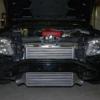
I'm using the Process West turbo side intake. Here are some photos and a dyno sheet:

DSC_0016-9.jpg

DSC_0020-5.jpg

DSC_0021-6.jpg

#55

Mint engine bay mate, can't believe how well the grill hides that cooler.

#56
  • Author

Cheers. The photo shows the cooler more than in real life too. It's a true sleeper at the moment!

Only thing I don't like under the bonnet is the BOV outlet hose. Looks ugly. I think I'll look at doing something else there.

Edited by QA50

#57

Hey does anyone know the importance or meaning on a mainline dyno the "@15KPH/sec UP, 11.7sec" on the print out?

#58

nice.. :sungum:

Create an account or sign in to comment

Recently Browsing 0

  • No registered users viewing this page.

Account

Navigation

Search

Search

Configure browser push notifications

Chrome (Android)
  1. Tap the lock icon next to the address bar.
  2. Tap Permissions → Notifications.
  3. Adjust your preference.
Chrome (Desktop)
  1. Click the padlock icon in the address bar.
  2. Select Site settings.
  3. Find Notifications and adjust your preference.