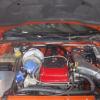
July 30, 200917 yr #1 the car in pictre is a mates commy but I still would like to know what the twon thickish hoses comeing off the turbos are?
July 30, 200917 yr #2 I got out my microscope and old mag glass but still couldnt make out any hoses.mabee a bigger pic would help.
July 30, 200917 yr #3 oil lines.......edit: the sump looks the be a 6ltr v8?? Edited July 30, 200917 yr by robbo k
July 30, 200917 yr #4 Author sorry bout the small pic,im under the emprission the braided ones in bacround r oil lines n the 1's that are aprox 1 inch I have no ideaedit: yer robbo it is Edited July 30, 200917 yr by Brandonn
July 30, 200917 yr #5 Oil drains, they run a pump for the return because the turbos sit below the motors' oil level
July 30, 200917 yr #6 EDIT: mine sounds stupid compared to that, so I'll bow out Edited July 30, 200917 yr by Superdan
July 30, 200917 yr #7 return line for the trubo feed into a pump due to be low mounted they cant be gravity feededit:http://www.airpowersystems.com/g8/g8_itt.htm Edited July 30, 200917 yr by robbo k
July 30, 200917 yr #8 Author thnx guys makes sense now edit:hahahahah he wishes it was that car Edited July 30, 200917 yr by Brandonn
July 31, 200917 yr #9 dont mid me asking what is the car?? power figures? I have seen a couple of tt v8 commo's n they dance all over the road insane power
August 1, 200917 yr #10 Author tis a ve ss ute and they r awaiting dyno, aparantly its being done monday or tuesday


Create an account or sign in to comment