Skip to content
View in the app

A better way to browse. Learn more.

Ford XR6 Turbo.com

A full-screen app on your home screen with push notifications, badges and more.

To install this app on iOS and iPadOS
  1. Tap the Share icon in Safari
  2. Scroll the menu and tap Add to Home Screen.
  3. Tap Add in the top-right corner.
To install this app on Android
  1. Tap the 3-dot menu (⋮) in the top-right corner of the browser.
  2. Tap Add to Home screen or Install app.
  3. Confirm by tapping Install.

Coilovers

Featured Replies

#1

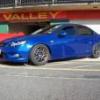
Got my new coilovers fitted yesterday. Running Pedders. I like the ride height., haven't taken it for a good drive just yet.

Hope you guys like it.

post-9677-1239143703_thumb.jpg

post-9677-1239143761_thumb.jpg

#2

Looks good, how is the handling with the Pedders coilovers?

#3
  • Author

thanks man.

It handles great but I found out that you can't drive it on the street with the dampers and rebound at the highest rate. Way too hard.

But I'm very happy with the ride height and the way it drives.

#4

sits nice there mate

Create an account or sign in to comment

Recently Browsing 0

  • No registered users viewing this page.

Account

Navigation

Search

Search

Configure browser push notifications

Chrome (Android)
  1. Tap the lock icon next to the address bar.
  2. Tap Permissions → Notifications.
  3. Adjust your preference.
Chrome (Desktop)
  1. Click the padlock icon in the address bar.
  2. Select Site settings.
  3. Find Notifications and adjust your preference.