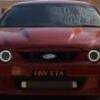
November 8, 200718 yr A pic where you can actually see the centre might help Edited November 8, 200718 yr by Fatsex
November 8, 200718 yr Author If I had the pic that shows the center I could find out what it is, but its hard to tell just thought someone might know
November 8, 200718 yr Time to visit the optometrist..... http://www.tempetyres.com.au/products_clos...mp;part_no=1315Is that them but with a black center....
November 8, 200718 yr Time to visit the optometrist..... http://www.tempetyres.com.au/products_clos...mp;part_no=1315Is that them but with a black center....Farken ell!!! See the sizes these come in? 20 x 13 and 22 x 13 They'd make 305's look like 225's do on 8.5" rims
November 8, 200718 yr They look like DUBs to me and if you look close it has the DUb badge just before the wheel arch id say there these
November 8, 200718 yr That is definately them XR6IXT...........im sure they arent the dubs the centre cap is a different size. I also think the badge is not a DUB badge but a calais badge on an angle........me hopes.. I don.t know how well they would go on the xr6t though.... wouldn't be much brake clearance.


Create an account or sign in to comment