Skip to content
View in the app

A better way to browse. Learn more.

Ford XR6 Turbo.com

A full-screen app on your home screen with push notifications, badges and more.

To install this app on iOS and iPadOS
  1. Tap the Share icon in Safari
  2. Scroll the menu and tap Add to Home Screen.
  3. Tap Add in the top-right corner.
To install this app on Android
  1. Tap the 3-dot menu (⋮) in the top-right corner of the browser.
  2. Tap Add to Home screen or Install app.
  3. Confirm by tapping Install.

Colour Coded Grill

Featured Replies

#31

I love the doors on that ute

reminds me of the deloriant from Back to the future

  • Replies 46
  • Views 4.4k
  • Created
  • Last Reply

Top Posters In This Topic

Posted Images

#32

Stevo done a thread on the intercooler grill awhile ago, Anywhos heres what I did.

post-3-1054269495.jpg

#33

Not Bad

but I think it neesds to be bit brighter so as to be more noticable

#34
Not Bad

but I think it neesds to be bit brighter so as to be more noticable

You don't want it to stand out "too" much, Kiwi perhaps you can experiment in Adobe photoshop to see what it would look like if it were brighter..

#35
Stevo done a thread on the intercooler grill awhile ago, Anywhos heres what I did.

I reckon that loox great Kiwi! :thumbsup:

#36

Cheers Stevo, Heres a lighter version So it can be seen better.

post-3-1054717719.jpg

#37

I saw a red xr6 na down at ulladulla on the south coast, he had colour coded his grille red, and he (or she) had put mesh in where the intercooler is and that was red as well. Too much red for me! need a bit of black to break it up.

  • 3 weeks later...
#38
  • Author

Hey All

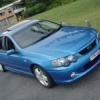
Sorry for my absense, things have been flat out at work lately. Anyways finally got some daytime pics of both blue and black*original* from the exact same position

Tell me what ya's think?

first pic

post-3-1056457742.jpg

#39
  • Author

second

post-3-1056458026.jpg

#40
  • Author

third

post-3-1056458361.jpg

Create an account or sign in to comment

Recently Browsing 0

  • No registered users viewing this page.

Account

Navigation

Search

Search

Configure browser push notifications

Chrome (Android)
  1. Tap the lock icon next to the address bar.
  2. Tap Permissions → Notifications.
  3. Adjust your preference.
Chrome (Desktop)
  1. Click the padlock icon in the address bar.
  2. Select Site settings.
  3. Find Notifications and adjust your preference.