Skip to content
View in the app

A better way to browse. Learn more.

Ford XR6 Turbo.com

A full-screen app on your home screen with push notifications, badges and more.

To install this app on iOS and iPadOS
  1. Tap the Share icon in Safari
  2. Scroll the menu and tap Add to Home Screen.
  3. Tap Add in the top-right corner.
To install this app on Android
  1. Tap the 3-dot menu (⋮) in the top-right corner of the browser.
  2. Tap Add to Home screen or Install app.
  3. Confirm by tapping Install.

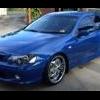
Pics Of My Xr6t!

Featured Replies

#1

just a few pics of the t I took because I was bored, its coming along and I am hoping to stop spending money on it shortly haha.

post-7047-1156148049_thumb.jpg

post-7047-1156148621_thumb.jpg

post-7047-1156148912_thumb.jpg

post-7047-1156149343_thumb.jpg

post-7047-1156149736_thumb.jpg

post-7047-1156150169_thumb.jpg

post-7047-1156150495_thumb.jpg

  • Replies 26
  • Views 2.3k
  • Created
  • Last Reply

Top Posters In This Topic

Posted Images

#2

Whats the battery setup with the readout????

#3
  • Author

just some fancy terminals with a voltage readout.

#4

Mines only 12.7v :P Your battery must be the prem one ;)

Also some1 stole your turbo badge :yikes:

#5
  • Author

haha, I took the turbo badge off, it was grabbing a little too much attention for my liking when combined with my age. its suprising how little I get pulled up for a license and rego check now compared to when the car had a turbo badge. I spose they must have thought I was a young hoon haha

#6

Looks great!

#7
  • Author

thanks baboon

#8
:stirthepot: Very clean and hot looking car
#9
  • Author

thanks, I have tried to keep it kinda stock appearance, it has 315rwkw and 939 nm of torque so it goes pretty well, im still to put a dvd player in and I am going to get one of the carbon fibre interior kits, lower it a little more and dress the engine bay up a little. after that I think I might finally say its done.

#10

looks pretty good.. have u got a side shot, I wana c a proper pic of the rims.

Create an account or sign in to comment

Recently Browsing 0

  • No registered users viewing this page.

Account

Navigation

Search

Search

Configure browser push notifications

Chrome (Android)
  1. Tap the lock icon next to the address bar.
  2. Tap Permissions → Notifications.
  3. Adjust your preference.
Chrome (Desktop)
  1. Click the padlock icon in the address bar.
  2. Select Site settings.
  3. Find Notifications and adjust your preference.