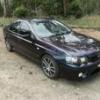
August 4, 200620 yr #12 I agree jack custom tune is the way to go I will put on the cooler then generic 8 psi then possibly get injectors with the tune to finish it off.its a bf so I have been told the springs are ok and already has a t56 so mabee a cluch will go in also.should make a sweet ride Nah Scotty I think he is going to go injectors down the track...You should be right with your valve springs with around 300rwkw... they aren't a power adding mod... they make your power last longer in the rev range... if that makes any sense...If you can afford it, speak to Mal Wood about a clutch upgrade, I have their 'Option 3' clutch and it's brilliant... better everything, holds on better, better pedal feel and a WHOLE HEAP stronger than the stock clutch, in all honesty it's difficult to compare the two... apples with apples...Jack
August 4, 200620 yr #13 True with the intercooler, you can throw it on anyways as it only reduces air temps before reaching the motor reducing combustion temps and prob more that I dont know about. But getting a full custom tune to get the most of the more efficeint cooler is good but for now your car will love you "so to speak' for throwing the new cooler on.Look at the rice burners out there with huge polished coolers and they are stockerswithout any tune and they run fine, well not as good as an XR6t.


Create an account or sign in to comment