Skip to content
View in the app

A better way to browse. Learn more.

Ford XR6 Turbo.com

A full-screen app on your home screen with push notifications, badges and more.

To install this app on iOS and iPadOS
  1. Tap the Share icon in Safari
  2. Scroll the menu and tap Add to Home Screen.
  3. Tap Add in the top-right corner.
To install this app on Android
  1. Tap the 3-dot menu (⋮) in the top-right corner of the browser.
  2. Tap Add to Home screen or Install app.
  3. Confirm by tapping Install.

F.i.s.t Dyno Day Photo's

Featured Replies

#11
:glad::spoton:
  • Replies 111
  • Views 11k
  • Created
  • Last Reply

Top Posters In This Topic

Posted Images

#12

fricken fantastic photos!!!!!! super job... and a great day :spoton:

#13
  • Author
Nice photos ... Looks like a fun day.  Was there a Dyno challenge too ?

Yeah PRO XR6 took out 1st place with 375rwkw :wub: but I think it would be fair to say that the day probably belonged to Shane @ 155rwkw :glad:

It is going to take some time to forget this one isn't it?? :glad:

We will never forget it Shane!

It's amaizing how the absence of a lock nut spanner can loose you so much horsepower!

:spoton:

#14

"C'mon boys - I got me a party"

#15

rofl tab, nice pics guys. :spoton:

#16

Finally a photographer amongst us, how hot is that Silhouette Phoon, sure shows up the Sunny Queen's

#17

damn I wish I hadnt had to work, looked like a fun day. I have to ask robit what camera do you use for these photos because the quality is fantastic

#18
"C'mon boys - I got me a party"
<div class='bbimg'>
FistDyno_08.jpg
</div>

Haa Haa :spoton:

#19

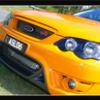
man that first shot of my car (the orange one) looks horn... . can you please email me a copy. ill send you an email address via pm if its ok??

#20

mmmm mmmmm.. Very nice..... Cars...! :spoton:

Nah too good mate, you have hot women, (I mean womAn- singular), and good quality pics of some very nice machines! Well done! If you have any more pics of the phoons that would be great!

Cheers!

Create an account or sign in to comment

Recently Browsing 0

  • No registered users viewing this page.

Account

Navigation

Search

Search

Configure browser push notifications

Chrome (Android)
  1. Tap the lock icon next to the address bar.
  2. Tap Permissions → Notifications.
  3. Adjust your preference.
Chrome (Desktop)
  1. Click the padlock icon in the address bar.
  2. Select Site settings.
  3. Find Notifications and adjust your preference.