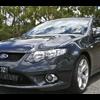
01/01/06 05:52 AM01/01/06 05:52 AM #12 Congrats Wayne, and you can't get much closer to the "real" Ford colour than shockwave.
01/01/06 06:09 AM01/01/06 06:09 AM #13 Author Cheers guys.It's interesting, once you have one colour in your mind, you notice it more and it grows on you.... Shockwave is a damn fine colour and I think it suits this car well with the edition of the lux pack...etc. Adds a level of class to it. just have to go back to a religiously followed routine of polishing...lol.Haha, Scotty, yep, not enough. It's probably more to do with the "within tolerances" factor, the T5, rattles in the cabin, this, that.....etc. Great to have the control blade IRS and premium sound back, not to mention the T56, what a difference it makes.
01/01/06 06:13 AM01/01/06 06:13 AM #14 Very Hot colour although mandarin is hot too...T56 is a better box than the T5 by miles if you belive what you read and it's a damn fine looking Beast
01/01/06 06:45 AM01/01/06 06:45 AM #15 Well done on picking up that beauty Wayne! top effort! I hate to sound dumb guys, but seeing as I am only new to all of this, would some care to explain what a "T56" is???
01/01/06 07:00 AM01/01/06 07:00 AM #16 Congrats wayne..... Finally a T sedan... Only taken 2 yeats right??
01/01/06 07:16 AM01/01/06 07:16 AM #17 would some care to explain what a "T56" is???Its a (six speed) manual
01/01/06 07:53 AM01/01/06 07:53 AM #19 Thank you for that Aniken. Legend! And what is a "T5"?<{POST_SNAPBACK}>The five speed younger brother.
01/01/06 07:59 AM01/01/06 07:59 AM #20 Thank you for answering my question "newl". I have learnt something today! WOOOHOOO!!!


Create an account or sign in to comment