January 11, 200521 yr #51 Author Some good pics there Mattson. Funny to read the slanging match between Whytry and the others! :lol: A few nice avatars there too! :licklips:
January 12, 200521 yr #52 Mick, did you get her on the dyno?Scotty<{POST_SNAPBACK}>We have had it on the dyno several times, for tuning purposes, no power runs. As there was a major push for time (I only got it back Xmas Eve), we are still running only 1 fuel pump (I have a SX waiting), no surge tank, and the 3in intake plumbing. Also, the engine is still running in, so we are a little hesitant to spinning it to 6k while it is still young. Once all the little things are fixed, and maybe a few mods to exhaust, we will start pushing the loud pedal to the floor.But the engine sounds strong, very very strong.
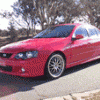
January 12, 200521 yr #53 Micks(MS700) XC. As the lebbo's put it 'THAT'S A F$#KEN WEAPON BOYS!!!!!!!!!!'<{POST_SNAPBACK}>Who's the two ugly fks coming out of the boot? <{POST_SNAPBACK}>At least they'd fit in the boot you fat pr1ck!!!!!!<{POST_SNAPBACK}> :lol: :lol: :lol:


Create an account or sign in to comment