July 29, 200422 yr #11 I dont know why it has reverse parking sensors, driver training should take care of that.
July 29, 200422 yr #13 Best looking Police car I have ever seen. Whoever bought these for them has excellent taste
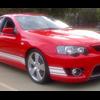
July 30, 200422 yr #14 Hi guys,Dont want to hijack this thread or start any interstate wars, but I think this one looks much better (hence the avatar) Michael....
July 30, 200422 yr #15 mook, now that's awsome... and it has the right type of engine in it too XR8 4eva!
July 30, 200422 yr #16 Where can I get me summa dem roof lights?!I have a contact who could make the decals :lol:You're spot-on about the dept approving the purchase having excellent taste, citric acid xr6t!
July 30, 200422 yr #18 Where can I get me summa dem roof lights?!I have a contact who could make the decals :lol:You're spot-on about the dept approving the purchase having excellent taste, citric acid xr6t! I belive they get brighter ones there so they don't blend in with the snow, preety good idea!P.S. the citric cop car is heaps better than the blueprint one!!


Create an account or sign in to comment