Skip to content
View in the app

A better way to browse. Learn more.

Ford XR6 Turbo.com

A full-screen app on your home screen with push notifications, badges and more.

To install this app on iOS and iPadOS
  1. Tap the Share icon in Safari
  2. Scroll the menu and tap Add to Home Screen.
  3. Tap Add in the top-right corner.
To install this app on Android
  1. Tap the 3-dot menu (⋮) in the top-right corner of the browser.
  2. Tap Add to Home screen or Install app.
  3. Confirm by tapping Install.

Glover

New Member
  • Joined

  • Last visited

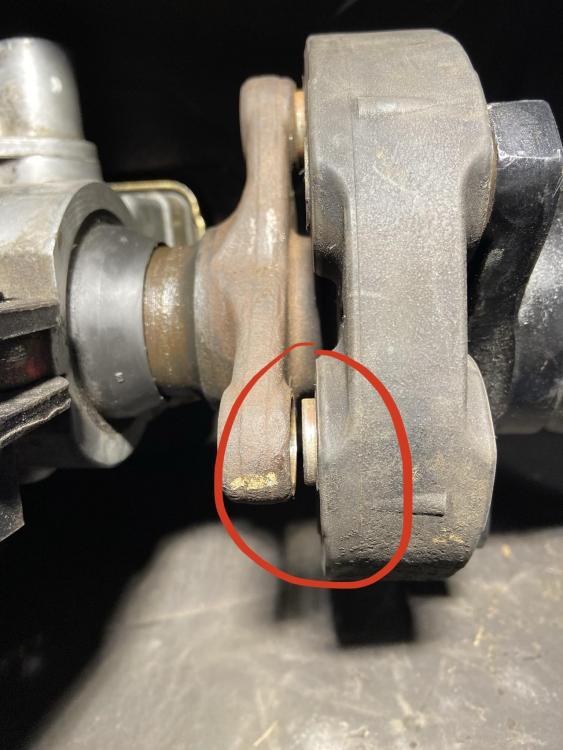
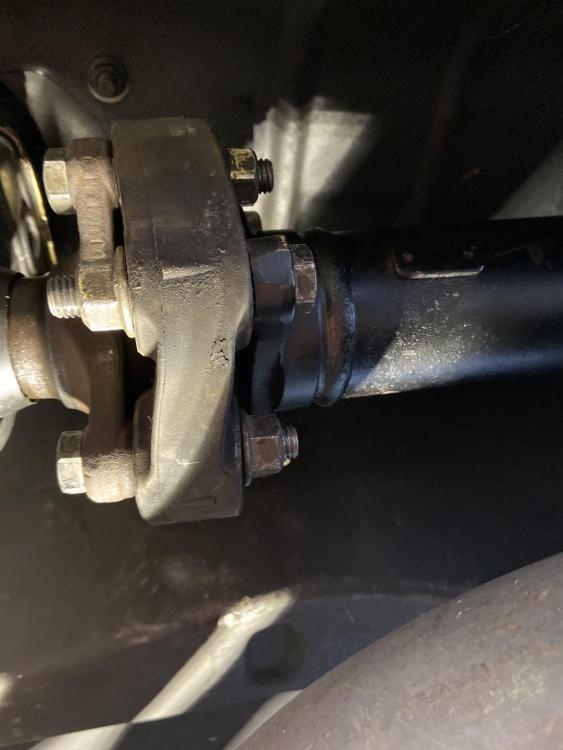
  1. In the process of converting from auto to t56 manual gearbox. When putting the new manual tailshaft into the slip yoke/ rubber donut coupling/ tailshaft, it doesn’t seem line up correctly as circled red in the photo. When rotating the tailshaft the gap between the donut and slip yoke opens up but closes flush correctly again towards the top as if something is warped. Tailshaft recently rebalanced. If I bolt up everything as is right now the donut is very warped. Any clues what would cause this?
  2. Thanks for the help. Will start the car with the piping off and see if oil comes through the compressor housing with some revs and boost. Will look into having the turbo looked checked as you said could be the seals.
  3. Yeah I have noticed it blowing alittle bit of smoke from the rear at times but never payed massive attention but will now. Will clean it up and keep note of it. If it did turn out to be turbo seals failing can that lead to complete turbo failure or just continue to leak. Thanks
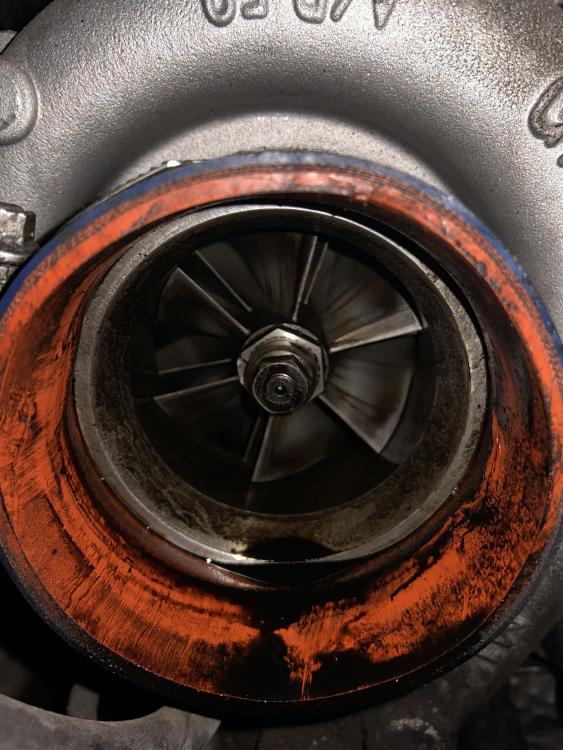
  4. Looking for some advice on what could be causing this much oil on the front of my turbo compressor housing. Running stock piping and recently compression tested the motor with good results. Any tips on where to check appreciated. Have yet to take the turbo off the engine but will if I have to.
Account

Navigation

Search

Search

Configure browser push notifications

Chrome (Android)
  1. Tap the lock icon next to the address bar.
  2. Tap Permissions → Notifications.
  3. Adjust your preference.
Chrome (Desktop)
  1. Click the padlock icon in the address bar.
  2. Select Site settings.
  3. Find Notifications and adjust your preference.