TURBO4LT
Member
-
Joined
-
Last visited
-
Is it the colour of the mats?
-
Had one in my car, better option than 044 and much quieter.
-
Get it back together so we can chase some more power
-
Thanks Mate its all good fun.
-
Good stuff Rob, time for an auto and more power
-
I have a catch can on mine that's working well, once it cools down the oil runs back into the diff.
-
Its strange that its slipping, I've had one in my car now for years with over 400rwkws with no problems holding power even on a hub dyno where you can't hide clutch slip. Did you try talking to Mal?
-
Thanks for the info guys Ill give it a go and see how it goes.
-
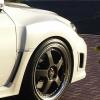
Need to roll the guards on the BA and was wondering how hard it is to do with the rolling tool any tips would be great
-
Found this handy simulator http://www.rimsntires.com/specs.jsp
-
Thanks for the great info guys.
-
Has anyone fitted 19x10.5 ET38 on the rear of a BA Sedan with 275x19 30? The wheel place says it will fit but I have my doubts.
-
Any progress on the PXE-H660 ? Was thinking of go the same route. Thanks
-
They work fine, its great to have different maps that can be changed at the push of a button
-
Try and get a copy of the file, will be a lot easier to try and diagnose the problem there's a few of us on here that could look at if for you. Just ask him to email it to you he can only say no.