R.J
Legacy Donating Member
-
Joined
-
Last visited
-
Can't argue with something that works well, not too many running it compared to gtx still.
-
It isn't always the side... 6466 here.
-
I think yours is bigger maybe...
-
I wonder if 4 pot rears clear the 18" ba Phoon rims? Anyone know?
-
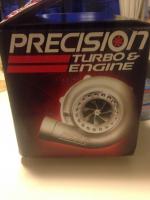
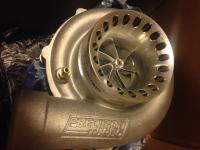
Haven't posted on here in awhile now that I've brought a few of you onto fb and bnc. Slow progress on engine build but almost all parts now and new turbo chosen.
-
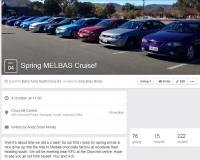
Barra Night Cruises - Sunday Afternoon cruise 4th October 15 - 11:30AM - Churchill Center Near KFC. Closed facebook group - http://barracruise.com/ All makes and models welcome but primarily Ford community.
-
And if boost can't find the problem, the problem is irrelevant lol
-
Hey guys see the details for tomorrows meet for don etc And below are the new engine parts for the slow build


-
Still cruising just going undercover stops
-
Probably won't but I'll evaluate a rebuild or 3 speed when the time comes again lol
-
He did mention it haha Wait for the forged bottom end and new turbo don should give me a bit more legs haha
-
Was separate from the mystery cruise. Tuned by AMMRR latest Jet but the timing chain guide shat itself and caused more damage not a rod thrown from the power.
-
I'll be passenger Saturday night. The engine Decided last Saturday it didnt like first gear limiter lol
-
^no means yes
-
Just a few pics from the cruise today Small but nice.