Skip to content
View in the app

A better way to browse. Learn more.

Ford XR6 Turbo.com

A full-screen app on your home screen with push notifications, badges and more.

To install this app on iOS and iPadOS
  1. Tap the Share icon in Safari
  2. Scroll the menu and tap Add to Home Screen.
  3. Tap Add in the top-right corner.
To install this app on Android
  1. Tap the 3-dot menu (⋮) in the top-right corner of the browser.
  2. Tap Add to Home screen or Install app.
  3. Confirm by tapping Install.

F6X 3Rd Row

Featured Replies

So.... The Wife wants a bigger car and 7 seats, I love our G6E turbo, so the compromise... A F6X, only prob not many around and looking for a 7 seat one which was an option is proving hard. Can I install a 3rd row from a Standard territory and get it trimmed to suit the rest of the car? Does it need to be engineered or because it is a factory option not required? Any info would be great!

PS I know there is heaps of 7 seat TTG but I want the be FPV!!!

Don't sell the G6!

I had the same problem. Needs to be engineered. Save your money. Same motor different brakes and different colour leather. More options in a mk2 TTG and I prefer the mk2 front end and they all come in 7 seats. Ended up with an 09 mk2 TTG sleeper with 320awkw

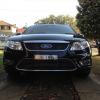
Strangely enough almost every F6X ive seen has been a 7 seater

Create an account or sign in to comment

Recently Browsing 0

  • No registered users viewing this page.

Account

Navigation

Search

Search

Configure browser push notifications

Chrome (Android)
  1. Tap the lock icon next to the address bar.
  2. Tap Permissions → Notifications.
  3. Adjust your preference.
Chrome (Desktop)
  1. Click the padlock icon in the address bar.
  2. Select Site settings.
  3. Find Notifications and adjust your preference.