Skip to content
View in the app

A better way to browse. Learn more.

Ford XR6 Turbo.com

A full-screen app on your home screen with push notifications, badges and more.

To install this app on iOS and iPadOS
  1. Tap the Share icon in Safari
  2. Scroll the menu and tap Add to Home Screen.
  3. Tap Add in the top-right corner.
To install this app on Android
  1. Tap the 3-dot menu (⋮) in the top-right corner of the browser.
  2. Tap Add to Home screen or Install app.
  3. Confirm by tapping Install.

Harrop Ultimate Brake Kit For The F6
Featured Replies

#31

Calipers need more yellow......

oh wait, nevermind

  • Replies 82
  • Views 23.4k
  • Created
  • Last Reply

Top Posters In This Topic

Most Popular Posts

Posted Images

#32

Just when I thought - this immaculate F6 couldn't get any better / sexier ! - Bang ! Harrod Yellow 6/4 Ultimates !! When will the excitement end ? This is a true pin up car for Ford XR6 !!! Bravo ! :buba:

#33

Looks the goods mate. I'll be looking out for it around Tgon.

#34
  • Author

OK guys, brakes were fitted up last night. Heres a few pics, sorry for the ordinary shots, these were taken on my phone. I dont have any of the car as it sits, it was too dark by the time we were finished. Will taken some better pics over the weekend.

IMG_0356.jpg

What you get in the kit.

IMG_0358.jpg

Briaded lines. These are not included and need to be purchased seperatley.

IMG_0373.jpg

Front comparison - Harrop (381mm) VS Brembo (355mm)

IMG_0395.jpg

Rear comparison - Harrop (356mm) VS Brembo (328mm)

IMG_0364.jpg

Brembo 4 pot fronts

IMG_0379.jpg

Harrop 6 pot front

IMG_0362.jpg

PBR rears

IMG_0392.jpg

Harrop rears

IMG_0382.jpg

Front with wheel on.

IMG_0371.jpg

This gives you an idea on how much clearance left on a 20" wheel. I'm guessing a number of 19" wheel would not fit.

IMG_0385.jpg

Surprisingly there is MUCH more clearance on the front compared to the Brembos. Previous I needed to run a 3mm spacer just to clear the Brembo caliper. The Harrops fit with 10-15mm to spare. Would allow for more aggressive wheel fitments :)

The rear fitment is a different story, these are very large compared to the PBR's and I struggled to get my 20x10 to fit over them. In the end I had to space them.

So initiale thoughts..... they look porn. There is definitely a marked improvement in the stopping distance with this setup, it bites alot harder. The supplied pads (I think they are Bendix SRT but not sure) seem to want a bit of heat before they really start to perform, so perhaps not the best pad selection for the street. Keep in mind I have only travelled 50km with these so will still need to bed in correctly.

Admitedley I am a bit dissappointed with the initiale pedal feel... its just too soft. I was expecting it to be same or better than factory setup, perhaps my expectations were misguided. For the street I can get used to it, but if you were buying these for track work I wouldnt be happy. The brake fluid was flushed and bleed so confident there is no air in the lines, perhaps a larger master cylinder would remedy this but didnt expect this would be needed. Time will tell, this may improve.

I'll get a few more km on them, take some more pics and update everyone.

#35

Mate that's an impressive bit of kit!!

Give them a bit of time to bed in.. theyll get better.

#36

Excellent thread mate with really good info. Try a fluid swap if still spongy after bed in. They look fantastic.

#37

Had same issue with my Harrops monster kit, front even fit under the stock G6E 19" wheels, the rear wasn't even close. The rear only had a few mm clearance even with the FPV wheels I had to end up using.

My kit uses Bendix Ultimate pads, nice bite even when cold. Hell dusty though.

#38

Sounds like it need a larger bore master cylinder to me.

#39

Your 20s struggle because they have a very small inner barrell. I would not be suprised if there were a few 18s that they would fit under.

#40
  • Author

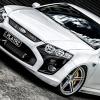
And the final result...

F6HarropSideFull.jpg

F6HarropFront01.jpg

F6HarropRear01.jpg

Create an account or sign in to comment

Recently Browsing 0

  • No registered users viewing this page.

Account

Navigation

Search

Search

Configure browser push notifications

Chrome (Android)
  1. Tap the lock icon next to the address bar.
  2. Tap Permissions → Notifications.
  3. Adjust your preference.
Chrome (Desktop)
  1. Click the padlock icon in the address bar.
  2. Select Site settings.
  3. Find Notifications and adjust your preference.