Skip to content
View in the app

A better way to browse. Learn more.

Ford XR6 Turbo.com

A full-screen app on your home screen with push notifications, badges and more.

To install this app on iOS and iPadOS
  1. Tap the Share icon in Safari
  2. Scroll the menu and tap Add to Home Screen.
  3. Tap Add in the top-right corner.
To install this app on Android
  1. Tap the 3-dot menu (⋮) in the top-right corner of the browser.
  2. Tap Add to Home screen or Install app.
  3. Confirm by tapping Install.

Xr6 Turbo Ecu Choice?

Featured Replies

#11

for a basic setup, the stock ECU is the go

you would want to run a custom dash just full of gauges (defi's etc), you wont need a speedo for drift... well I never used mine.

all you need to do is run the motor :)

im using a Motec M800 in my capri to run my 4L motor.

RS WEPN is using an EMS 8860 to run his 4L in his XF.

most ecus can run the motors :)

  • 3 months later...
#12
  • Author

Can a auto ecu run my motor with a top loader fitted!

#13

yes ypur tuner will just have to download the manual program into it,the same thing they do when you change to an older auto(powerglide,c4 etc)

cheers lee

#14
  • Author

THanks mate

  • 1 month later...
#15

Hey tufgia.... how's the build coming along?

#16

www.vi-pec.com

the V88 has drive by wire and dual channel knock control.

#17
  • Author

Hey tufgia.... how's the build coming along?

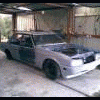
Hey mate its at a pause at the moment trying to see if I can get my Late model camira ready for the autosalon.

Then im gonna steal my girl friends ef and spool it put my t5 in it and take it out to winton and see how I go drifting before I make the xf a full house drift car. it should be done within the next 5 to 6 months! no rush atm but really am keen to drive it.

Create an account or sign in to comment

Recently Browsing 0

  • No registered users viewing this page.

Account

Navigation

Search

Search

Configure browser push notifications

Chrome (Android)
  1. Tap the lock icon next to the address bar.
  2. Tap Permissions → Notifications.
  3. Adjust your preference.
Chrome (Desktop)
  1. Click the padlock icon in the address bar.
  2. Select Site settings.
  3. Find Notifications and adjust your preference.