August 13, 200818 yr #1 Jusy looking through the entrants list & can only see 2 of us.. Who else is going to give it a go?Looks like 3 Xr6 turbo's from Newcastle mite be the only T's to make the field??Muzza.
August 16, 200818 yr #2 will only be spectating this year xr6t ute still too std, skyline misssing diff & fuel system will be an awesome event though :biglaugh:
August 16, 200818 yr #4 Author Knew I could depend on you Nath,,,, But why a pink Rx3?Good luck mate, itwas hauling last meet.Muz
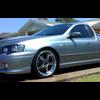
August 18, 200818 yr #5 Cant wait few days to go till I head up there to should be a blast of a weekend, hope there are a few up there from on here having a looksie.... Muz's ute should impress hahaha
August 19, 200818 yr #6 Knew I could depend on you Nath,,,, But why a pink Rx3?Good luck mate, itwas hauling last meet.Muzgt42 is out of puff so Gt45 had to go in having trouble fitting it under the bonnet will be tuning it on thusrsday. Driving up thursday nightthose poor 26 x 8.5's
August 20, 200818 yr #7 well muzza and I just got final tunes for jambo, muzza got a very impressive 435rwkw with stock turbo blacktrack built motor, I made 352rwkw@15psi on ba standard bottom end


Create an account or sign in to comment