Skip to content
View in the app

A better way to browse. Learn more.

Ford XR6 Turbo.com

A full-screen app on your home screen with push notifications, badges and more.

To install this app on iOS and iPadOS
  1. Tap the Share icon in Safari
  2. Scroll the menu and tap Add to Home Screen.
  3. Tap Add in the top-right corner.
To install this app on Android
  1. Tap the 3-dot menu (⋮) in the top-right corner of the browser.
  2. Tap Add to Home screen or Install app.
  3. Confirm by tapping Install.

Own Up... Which Qld Members Car Is This?
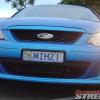
Featured Replies

  • Replies 22
  • Views 1.7k
  • Created
  • Last Reply

Top Posters In This Topic

#2

Even the mag is f**ked

guess he didnt have Premium PBR's

:blush:

#3

It looks like glenn has been driving his fathers car again.

Ian

#4

damn that sucks is that little plaza near mt warren park at all?

#5
  • Author

coombabah plaze.. where ever the hell that is!

#6

that's pretty nasty, did you check out the respnse in the next post, I don't know what he's on, but I think he's had too much! :blush:

Cheers, Steve.

#7
that's pretty nasty, did you check out the respnse in the next post, I don't know what he's on, but I think he's had too much! :blush:

Cheers, Steve.

There was a few quality responses :roll:

#8

yeah i heard that holden based the ve commodore around the ae86 corolla there moving into the drift world...there going to be fully soik moit..there going to put a 2 litre turbo 4 cylinder with a 1mtr by 800mm by 750mm intercoola and a turbo off a boeing 747 on it 12450 killawatts at the wheels!!....oh hang on i meant to post this on www.stupidholdenforum.com....my bad.. :blush:

#9
that's pretty nasty, did you check out the respnse in the next post, I don't know what he's on, but I think he's had too much! :roll:

Cheers, Steve.

<{POST_SNAPBACK}>

There was a few quality responses :msm:

<{POST_SNAPBACK}>

Yep, just a few..........

http://www.qldstreetcar.com/forum/index.ph...ndpost&p=204290

RAFL :blush:

#10

poor xrt :crybaby:

even if it is spewprint... wonder what it did to deserve that... :blink:

shazzy

Create an account or sign in to comment

Recently Browsing 0

  • No registered users viewing this page.

Account

Navigation

Search

Search

Configure browser push notifications

Chrome (Android)
  1. Tap the lock icon next to the address bar.
  2. Tap Permissions → Notifications.
  3. Adjust your preference.
Chrome (Desktop)
  1. Click the padlock icon in the address bar.
  2. Select Site settings.
  3. Find Notifications and adjust your preference.