Skip to content
View in the app

A better way to browse. Learn more.

Ford XR6 Turbo.com

A full-screen app on your home screen with push notifications, badges and more.

To install this app on iOS and iPadOS
  1. Tap the Share icon in Safari
  2. Scroll the menu and tap Add to Home Screen.
  3. Tap Add in the top-right corner.
To install this app on Android
  1. Tap the 3-dot menu (⋮) in the top-right corner of the browser.
  2. Tap Add to Home screen or Install app.
  3. Confirm by tapping Install.

Three Xr's Reqiured For Wedding
Featured Replies

  • Replies 22
  • Views 1.7k
  • Created
  • Last Reply

Top Posters In This Topic

Posted Images

#22
And I thought Black was just a shade, not a colour. Just goes to show I can be mistaken sometimes.

Hey dimmer switch, go & play with your headlights.

Scotty

#23
Hey dimmer switch, go & play with your headlights.

Scotty

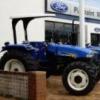
Gold.. but scotty.. what have I told you about taking pictures...

it's all about framing.. at least get the bloody front of your car in the picture instead of the gaping nothingness behind it :)

hahaha

None the less I'll do the 6th of August Wedding... will have the car all well presented and all.. keep me posted :)

Create an account or sign in to comment

Recently Browsing 0

  • No registered users viewing this page.

Account

Navigation

Search

Search

Configure browser push notifications

Chrome (Android)
  1. Tap the lock icon next to the address bar.
  2. Tap Permissions → Notifications.
  3. Adjust your preference.
Chrome (Desktop)
  1. Click the padlock icon in the address bar.
  2. Select Site settings.
  3. Find Notifications and adjust your preference.