Skip to content
View in the app

A better way to browse. Learn more.

Ford XR6 Turbo.com

A full-screen app on your home screen with push notifications, badges and more.

To install this app on iOS and iPadOS
  1. Tap the Share icon in Safari
  2. Scroll the menu and tap Add to Home Screen.
  3. Tap Add in the top-right corner.
To install this app on Android
  1. Tap the 3-dot menu (⋮) in the top-right corner of the browser.
  2. Tap Add to Home screen or Install app.
  3. Confirm by tapping Install.

catfish

Member
  • Joined

  • Last visited

  1. As a newbie it was great to meet everyone and feel welcomed. Was a great drive,,good variety and sure a few detours but that only adds to the night.I will certainly be up for another one. Cheers Craig
  2. I wouldnt mind checking in on this depending on work.Could you please shoot me details. Thanks Craig
  3. catfish replied to a post in a topic in XR6 Turbo
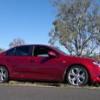
    hi guys,new to the forum. Just bought a FG XR6 turbo in seduce and having driven diesel 4x4s for a long time I am like a kid in a lolly shop atm. when I figure out how to post pics I will. Cheers Craig

Account

Navigation

Search

Search

Configure browser push notifications

Chrome (Android)
  1. Tap the lock icon next to the address bar.
  2. Tap Permissions → Notifications.
  3. Adjust your preference.
Chrome (Desktop)
  1. Click the padlock icon in the address bar.
  2. Select Site settings.
  3. Find Notifications and adjust your preference.