grugman
Member
-
Joined
-
Last visited
-
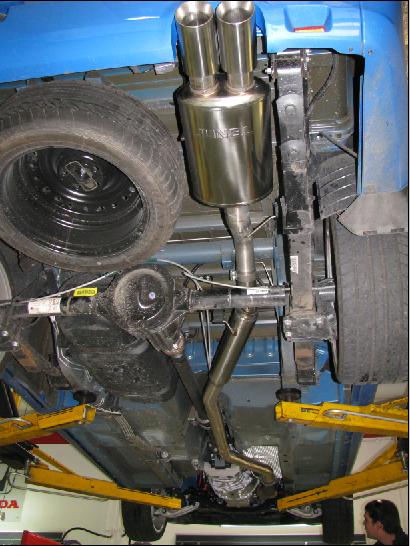
I replaced everything from the cat back with single 3 inch stainless, resonator and junbl muffler and the difference is awesome gone from a big vacuum cleaner to a tough sounding car. there is a little drone but was told this would settle as the carbon builds up. wasn't chasing performance just a reasonable note but managed to grabb a few kw's but did managed to grabb a noticeable gain in the middle and response very slightly improved
-
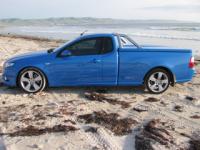
Hey from adelaide, '08 FG XR6 Turbo Ute six speed manual with hard lid sports bar and spoiler, Optioned XR luxury pack which included leather seats sports interior dual climate control 19" X 8" factory wheels 7" colour display and six speaker bluetooth and ipod and by wed it will have a new exhaust
-
g'day this is my first time on the forum. 2 weeks ago I picked up my new FG XR6 turbo Ute and I'm loving it. only prob I find is axle tramp but wont be long till I sus the right kit to fix that. wasn't really into fords before but this car is unreal