Skip to content
View in the app

A better way to browse. Learn more.

Ford XR6 Turbo.com

A full-screen app on your home screen with push notifications, badges and more.

To install this app on iOS and iPadOS
  1. Tap the Share icon in Safari
  2. Scroll the menu and tap Add to Home Screen.
  3. Tap Add in the top-right corner.
To install this app on Android
  1. Tap the 3-dot menu (⋮) in the top-right corner of the browser.
  2. Tap Add to Home screen or Install app.
  3. Confirm by tapping Install.

Ba 18X10's

Featured Replies

#31

Mmm those are baller as f*ck!!

I love the concave look!

attachicon.gif1395132917744.jpg

I'm getting these when they come back in stock

f*ck yeh,

dish AND concave is where its at ;) I was looking at those xxr's actually!

  • Replies 30
  • Views 7k
  • Created
  • Last Reply

Top Posters In This Topic

Most Popular Posts

  • splashman
    splashman

    Yes.

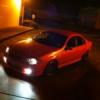
  • As promised, here's the photos !!!

  • Evil XR6T
    Evil XR6T

    Yeah, I'm going +22 or +20 9.5's for around town with a bit of stretch cause Its actually set up for drift not drag, but I'm just trying to smoke my mates WRX, so I need a bit of help with traction, l

Posted Images

Create an account or sign in to comment

Recently Browsing 0

  • No registered users viewing this page.

Account

Navigation

Search

Search

Configure browser push notifications

Chrome (Android)
  1. Tap the lock icon next to the address bar.
  2. Tap Permissions → Notifications.
  3. Adjust your preference.
Chrome (Desktop)
  1. Click the padlock icon in the address bar.
  2. Select Site settings.
  3. Find Notifications and adjust your preference.