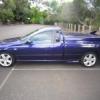
May 12, 201214 yr #1 Hi Im hoping you can help me as no one seems to have any idea, I have a 03 BA XR6 Turbo ute series 1, it keeps running in limp mode, Ive taken it to Ford here in Dubbo and they put it on the computer and the solinod ABC and D came up as faulty, so they told me the gearbox was stuffed, so I then took it to have the gearbox repaired, only to find out after having the solinods replaced, there was nothing wrong with it and the solinods were put back in, he said it looked like new and the oil was still red, it only had a sevice in April this year, so then we looked at the computer and all wires seem to be fine nothing bare and nothing lose. We even hooked up a jumper lead from the battery to the motor to use as an earth wire, but that didnt help at all. The Battery and alinater are both working perfectly. Can you please help sort this out, also you can drive it sometimes for 15 or 20ks then other times you can only drive in limp mode as when you start it either the P R N AND D FLASHES ON AND OFF..The car will only travel up to 45ks ph then limp mode kicks inn. Please help if you can. regards Robyn Jager 0414856276 or [email protected]


Create an account or sign in to comment