Skip to content
View in the app

A better way to browse. Learn more.

Ford XR6 Turbo.com

A full-screen app on your home screen with push notifications, badges and more.

To install this app on iOS and iPadOS
  1. Tap the Share icon in Safari
  2. Scroll the menu and tap Add to Home Screen.
  3. Tap Add in the top-right corner.
To install this app on Android
  1. Tap the 3-dot menu (⋮) in the top-right corner of the browser.
  2. Tap Add to Home screen or Install app.
  3. Confirm by tapping Install.

Joseph Cronin

New Member
  • Joined

  • Last visited

  1. the speedo and indicators are working now, the fuse had blown(dont know if its related to short). think im going to take it to work and get the auto elecs to look at it and fix the rear tailights and speedo light(find the short)
  2. its definatly a short because the tailight fuse blows instantly when I turn the lights on
  3. my mistake, the headlights, reverse and brake lights still work, just the speedo and indicators that dont, I checked all the wiring for the rear lights and its all good so im going to look at the fuse box in the engine bay now. any major earth points that are prone to coming loose? I bottomed out pretty bad the same day the problems started but I would have thought the earth points wouldnt be in a place that could put them at risk of damage. Im not to sure where all the main earthpoints are either.....
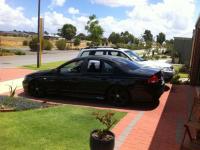
  4. I have a 2004 ba xr6 turbo and about 3 weeks ago my rear tailights stopped working however the brake likes still worked, I checked the fuses and globes and all was fine, also the speedo lights had stopped working, I resorted to driving only during daylight until I could take the car to get looked at, it wasnt long before the speedo stopped working all together and now all the indicators, brake lights, reverse lights and headlights wont work(hi beam still does) also the car wont turn over with the first turn of the key, but starts fine when I try a second time, does anyone heard of this problem? fixes?
Account

Navigation

Search

Search

Configure browser push notifications

Chrome (Android)
  1. Tap the lock icon next to the address bar.
  2. Tap Permissions → Notifications.
  3. Adjust your preference.
Chrome (Desktop)
  1. Click the padlock icon in the address bar.
  2. Select Site settings.
  3. Find Notifications and adjust your preference.